
AirFine
Portable finishing tool
NEW10
1. What is AirFine best used for?
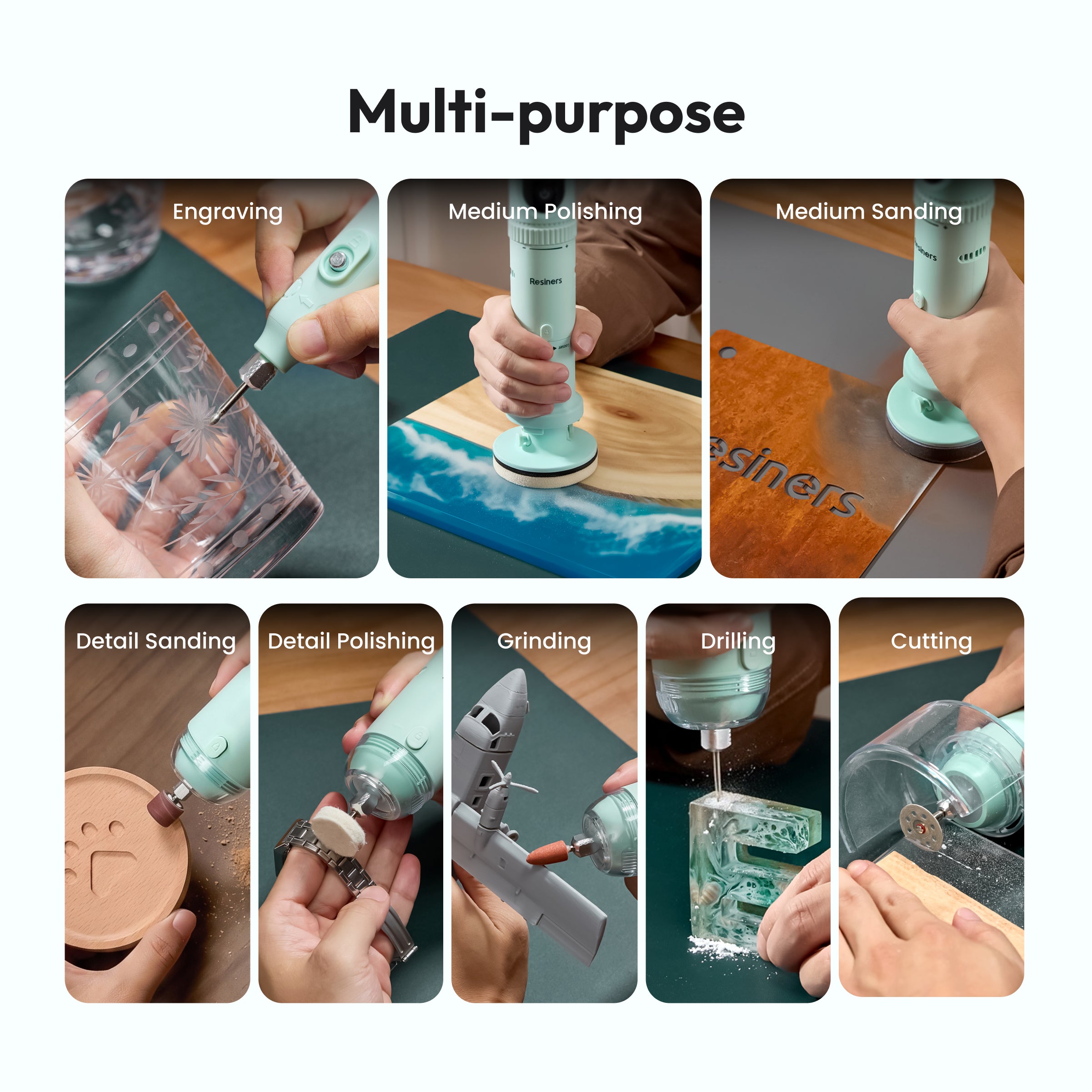
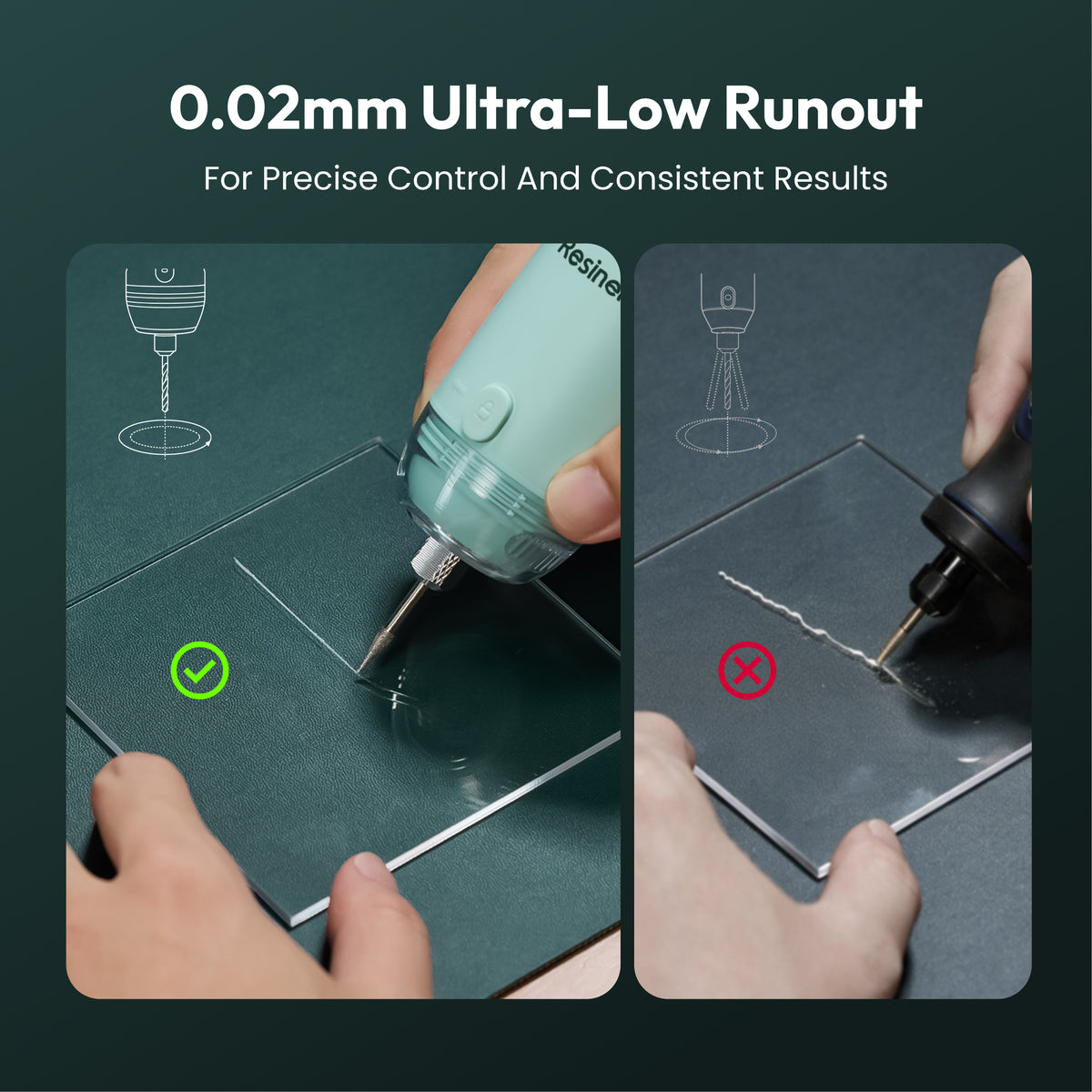
AirFine is designed for resin finishing, including sanding, polishing, drilling, engraving, and detail work. It works especially well for resin jewelry, coasters, small home decor, Jesmonite, plaster crafts, models, and other small-to-medium projects that need precise finishing.
2. Can AirFine replace a heavy-duty rotary tool?
AirFine is better suited for controlled finishing and detailed work than heavy-duty cutting.
For thick resin, wood, or metal cutting, use lighter pressure and make multiple passes instead of forcing the tool.
3. How well does the AirFine Pro dust collection work?
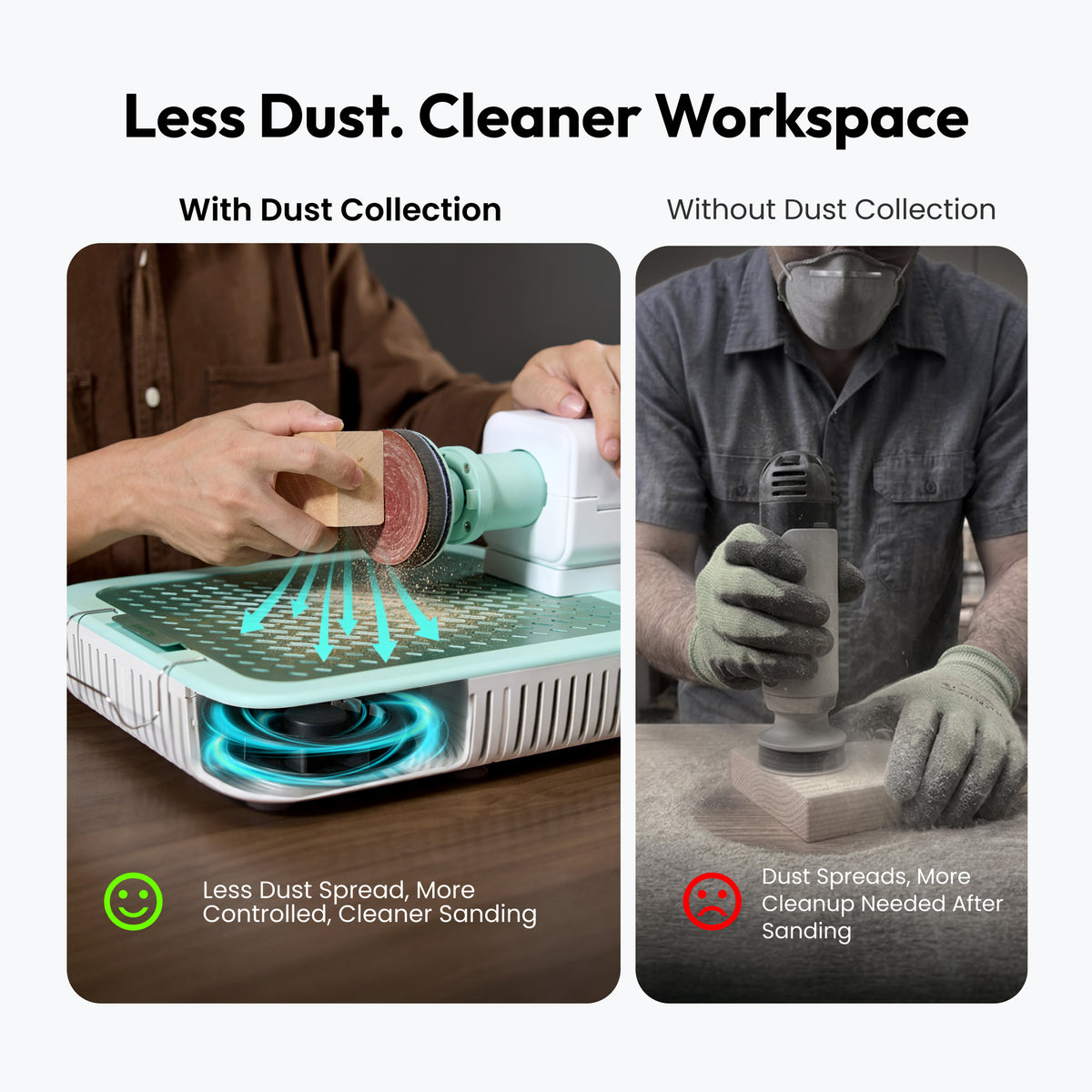
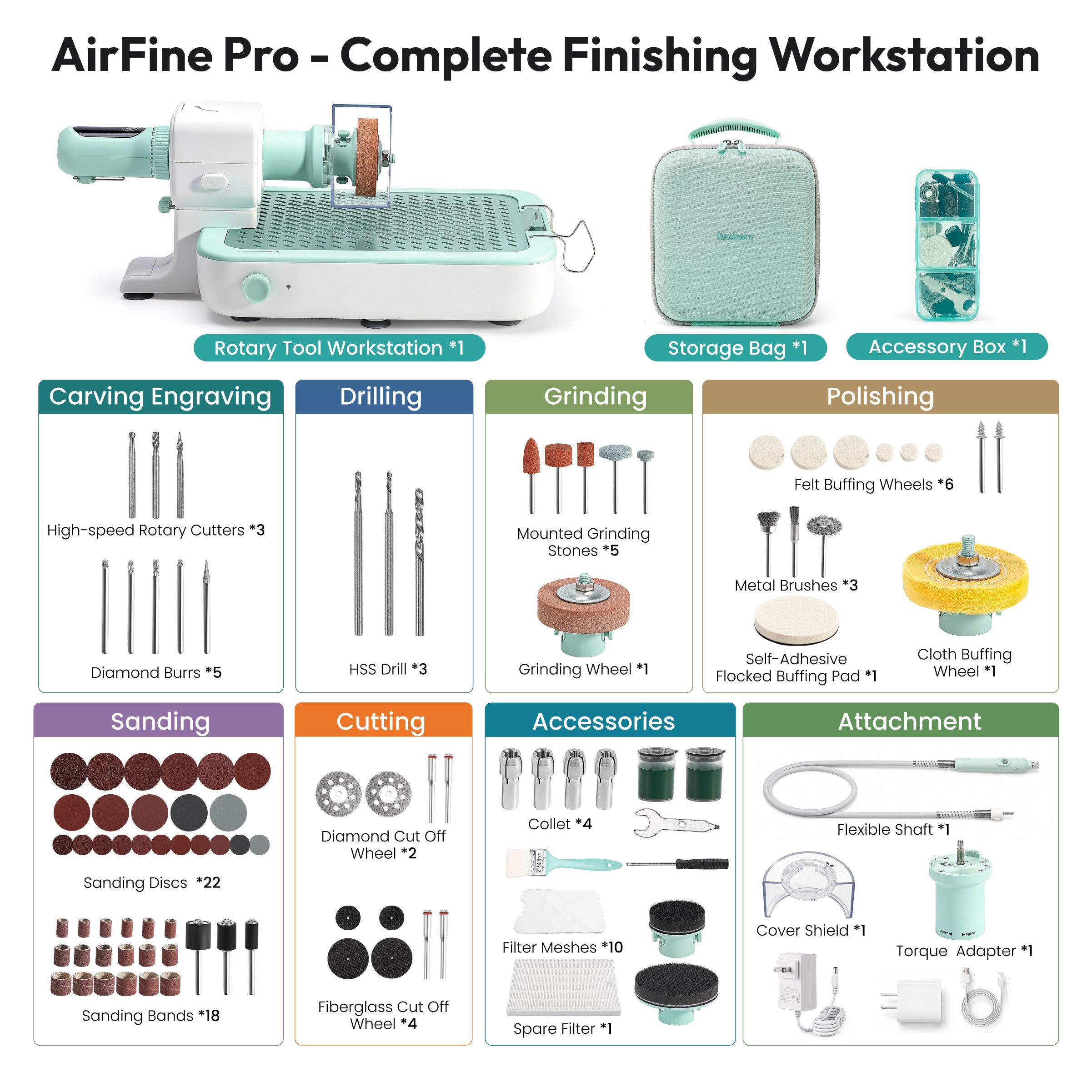
Dust collection works best when sanding directly over the workstation with the main tool and dust guard. It can significantly reduce dust on your workbench.
When using the flexible shaft, keep the workpiece as close to the dust intake as possible, as some fine particles may escape upward during detail work.
4. What should I do if the clear cover or workstation arm feels stuck?
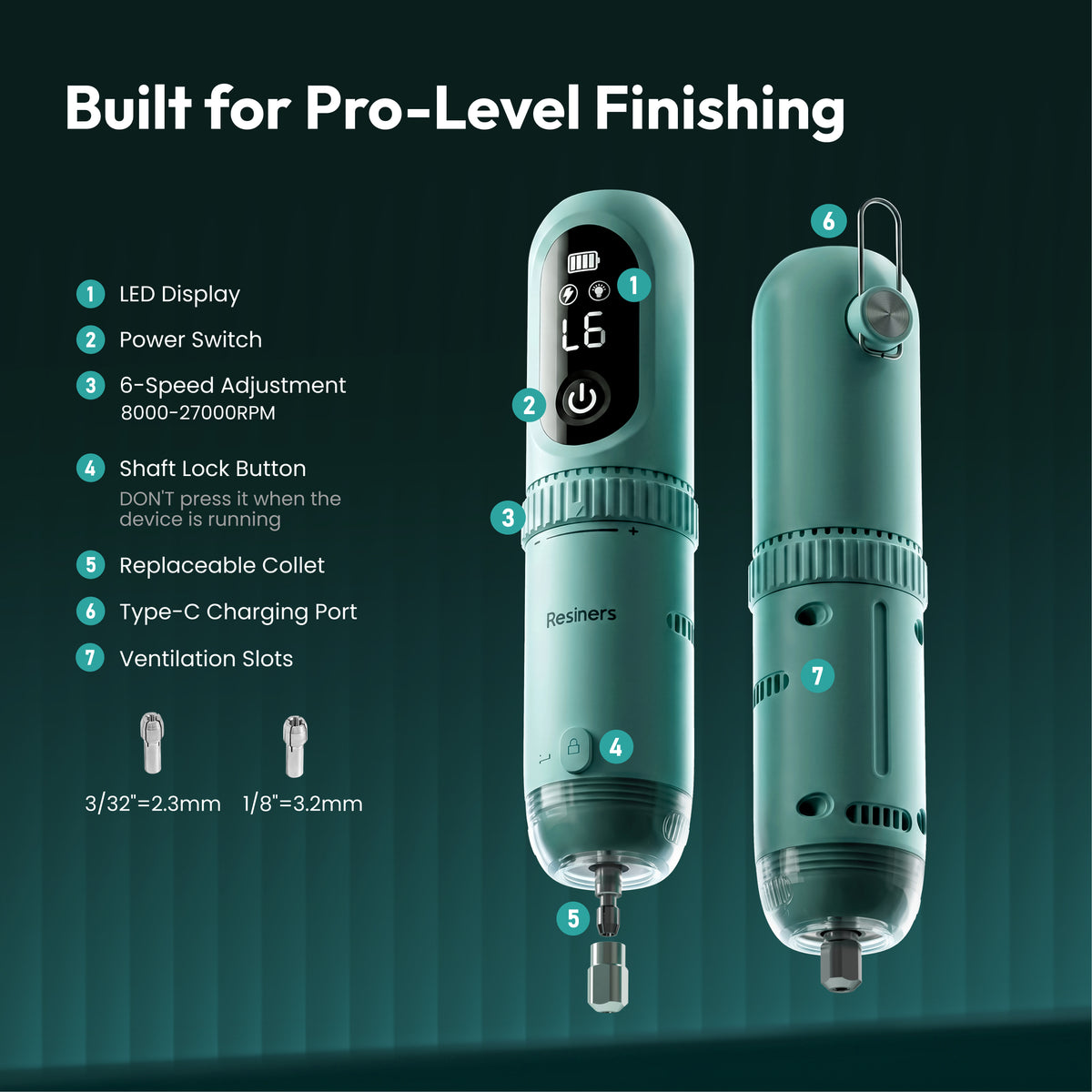
For the clear protective cover, twist it to the left to remove it.
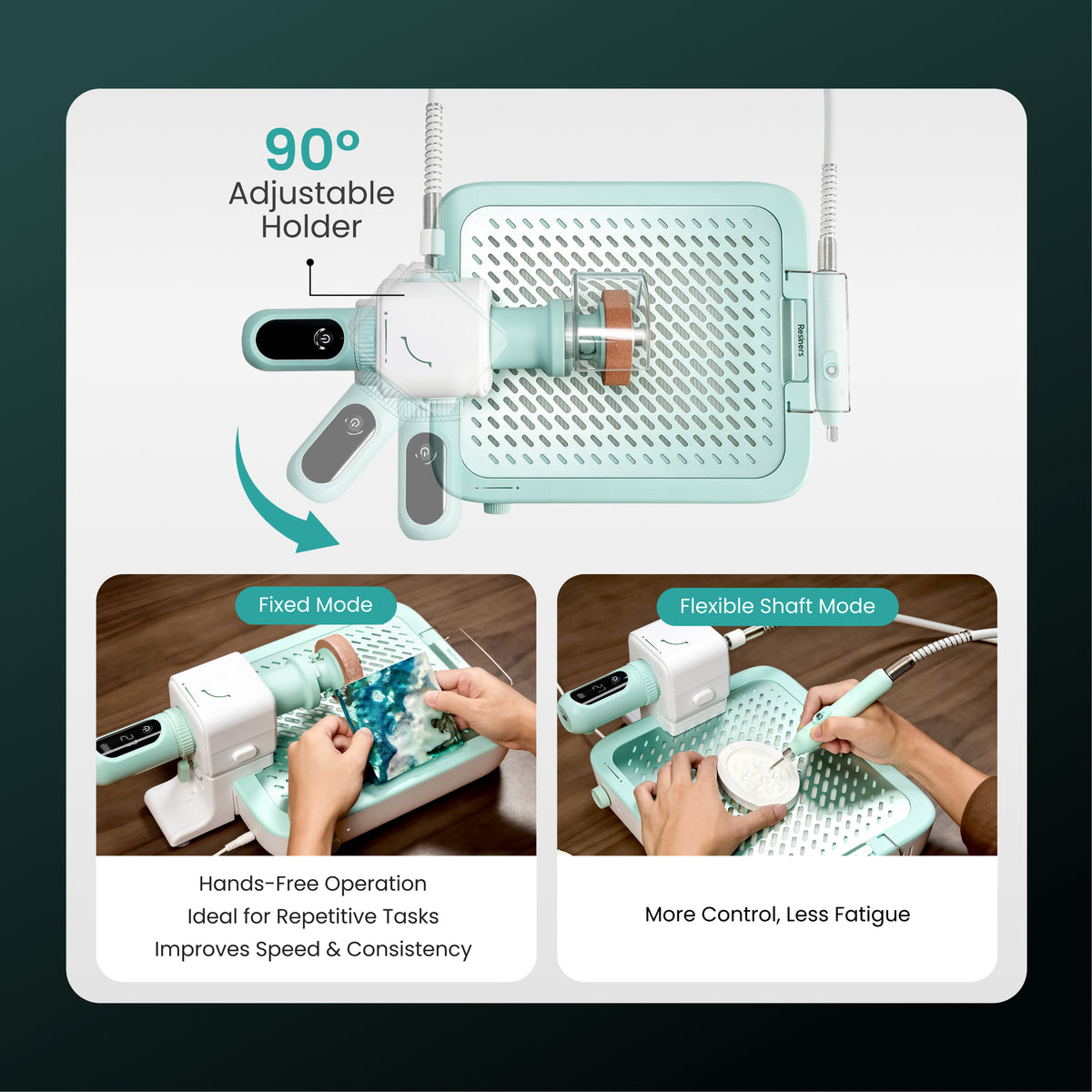
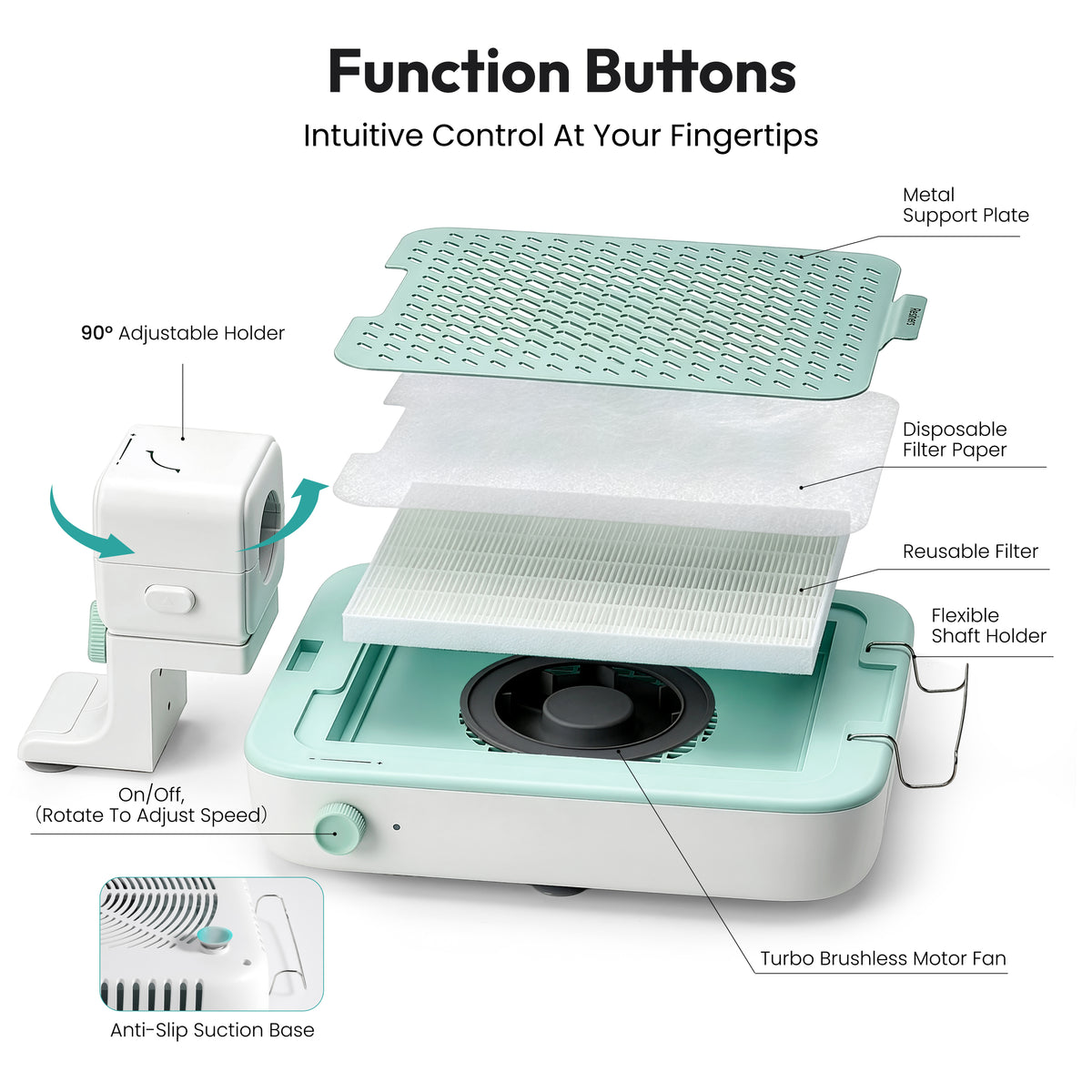
If the 90° support arm will not rotate, loosen the locking mechanism several turns before repositioning it.
5. When should I use the torque adapter, flexible shaft, or workstation setup?
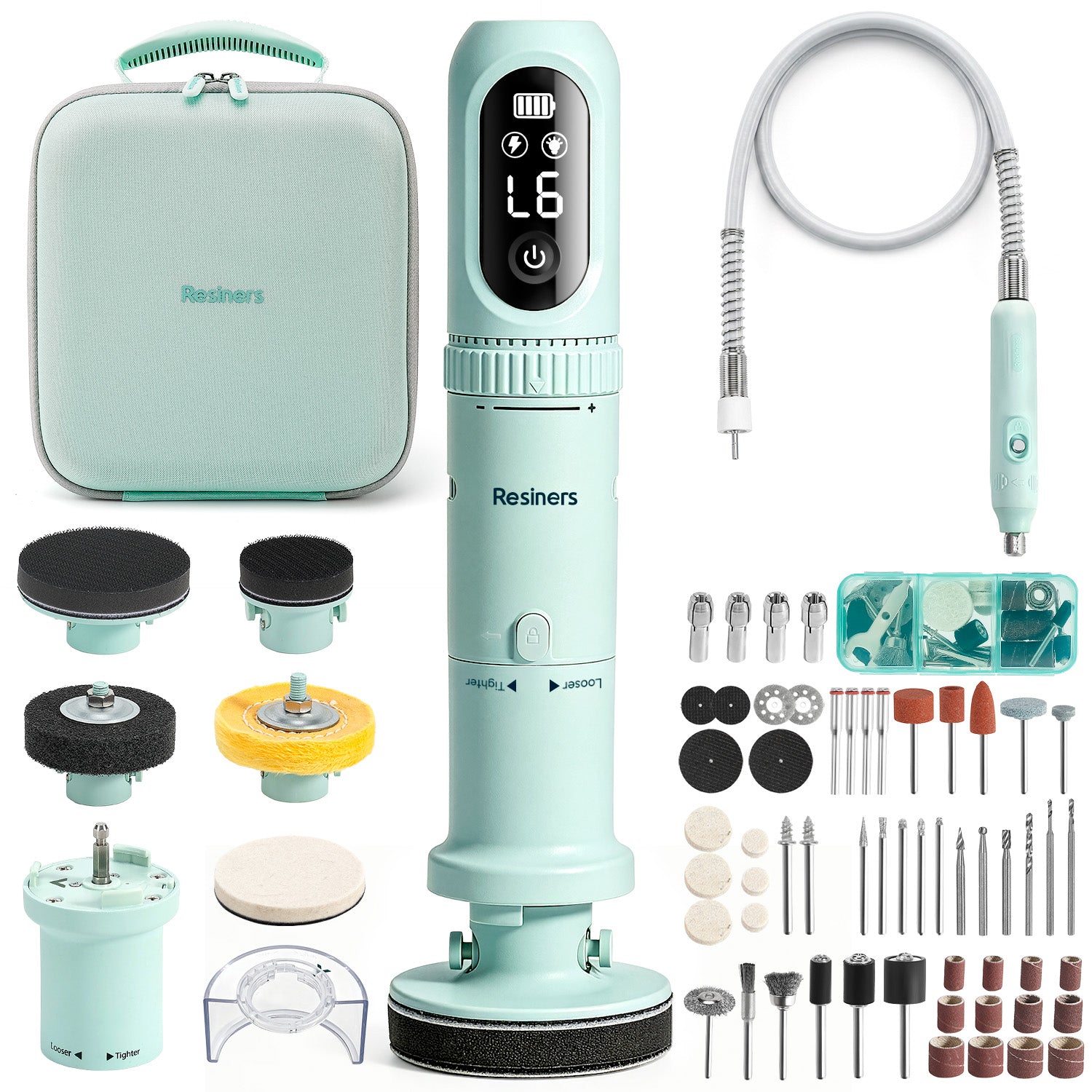
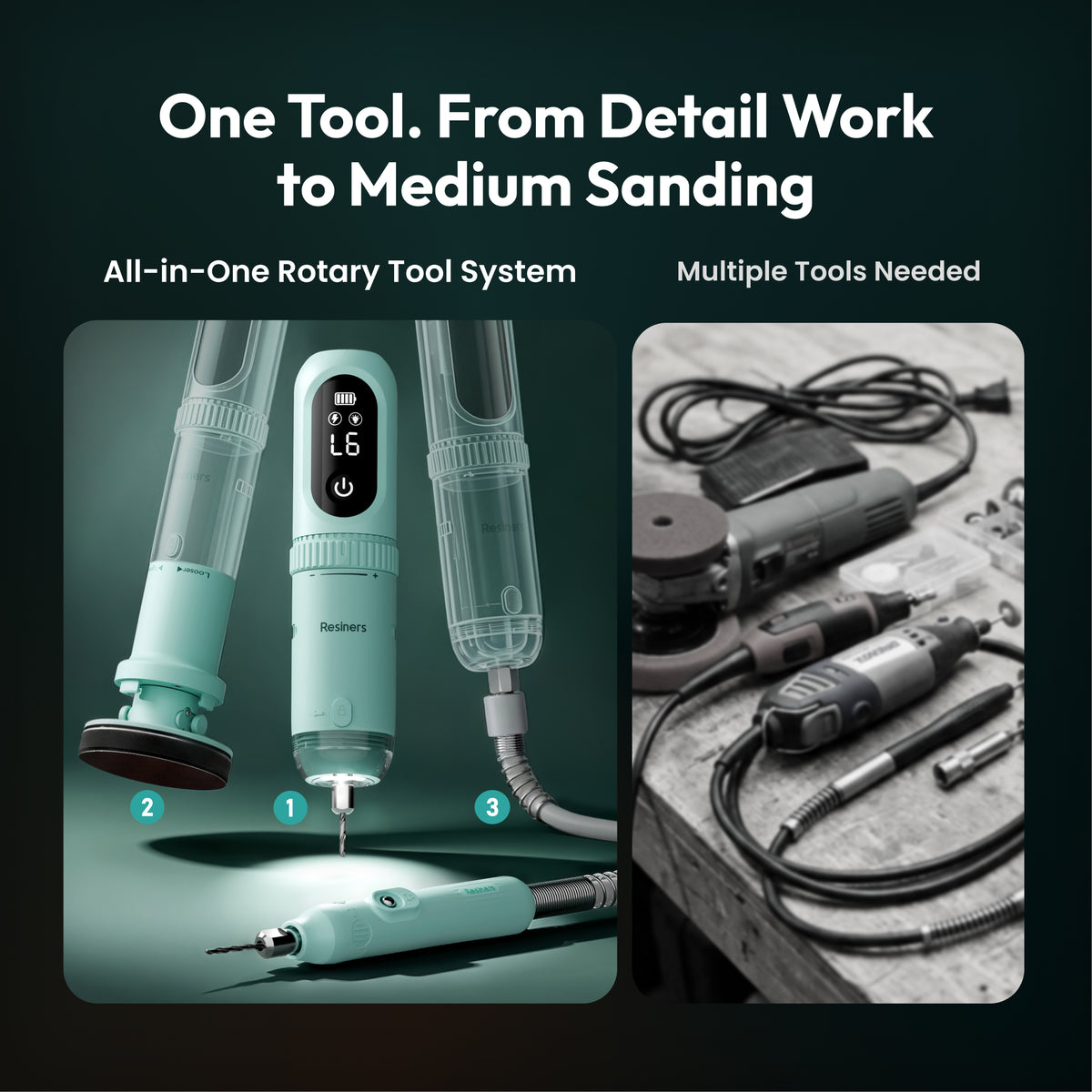
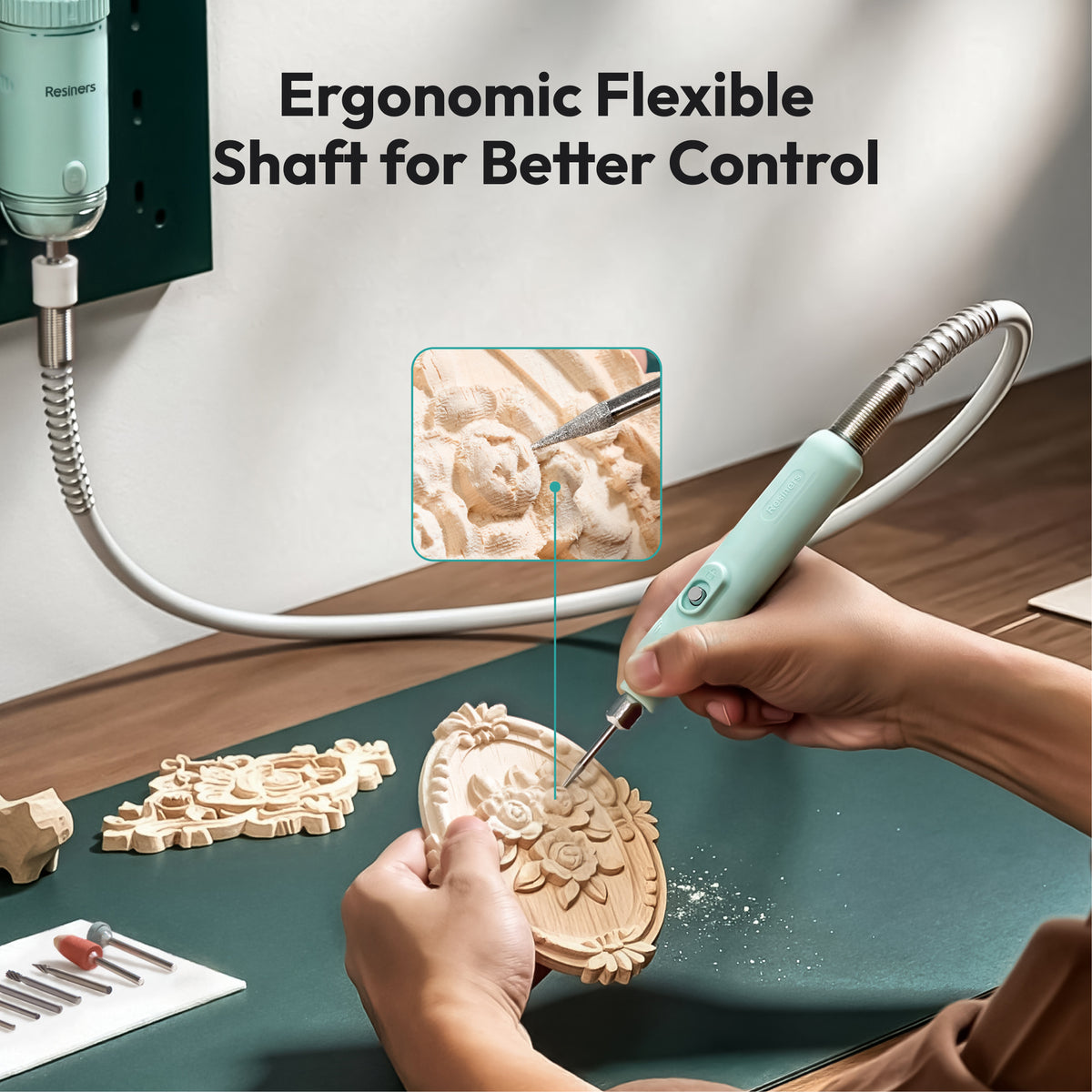
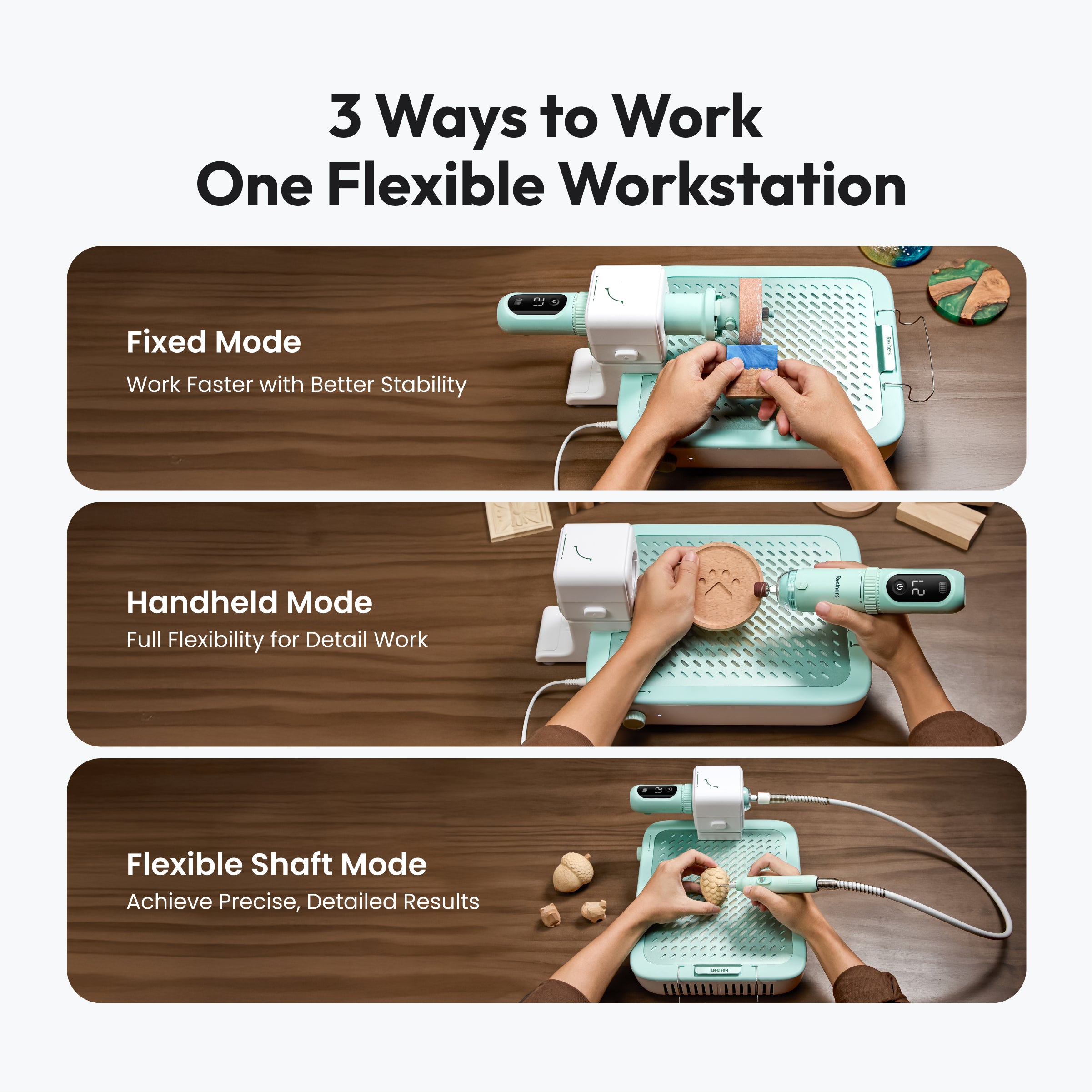
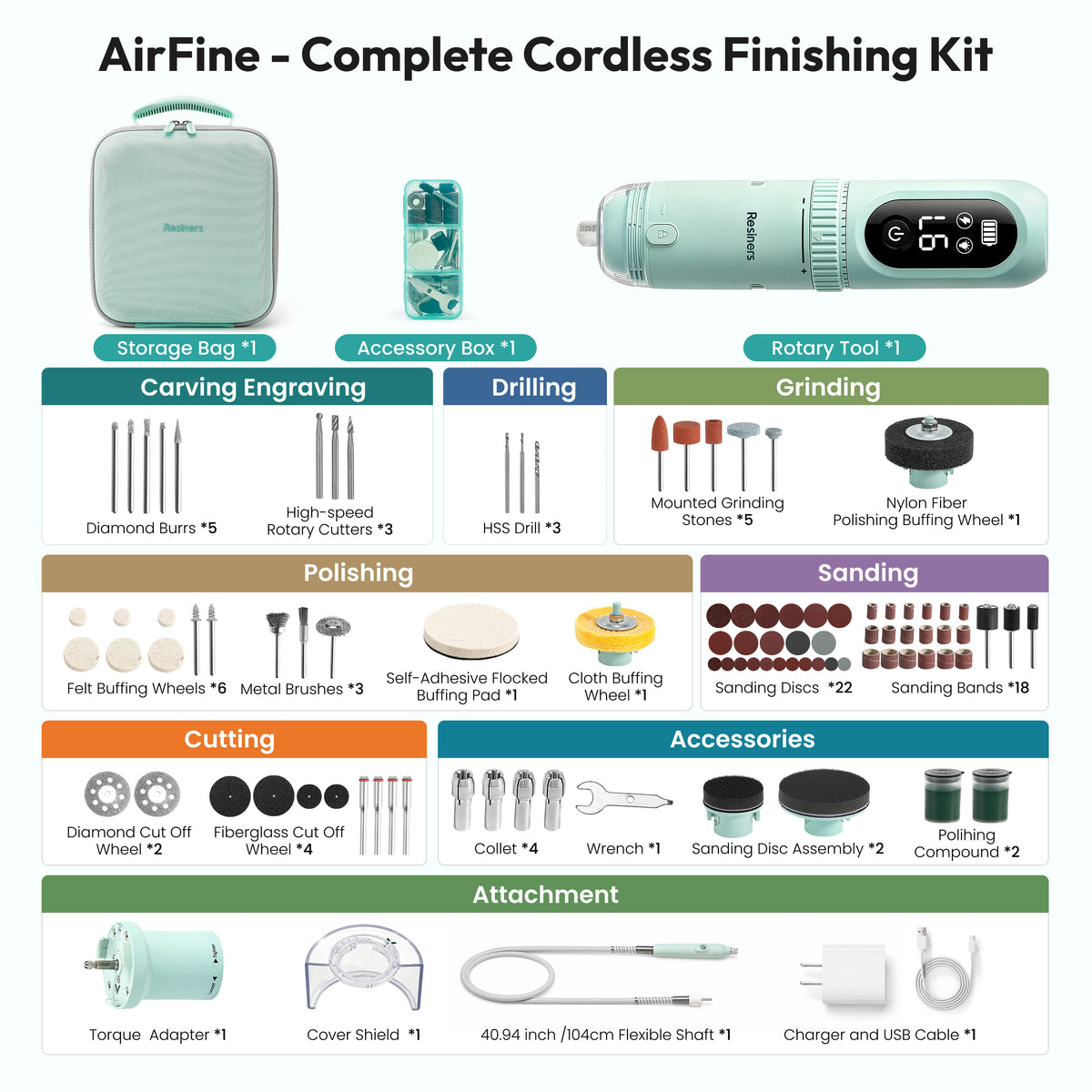
Use the torque adapter for sanding larger or flatter areas, the flexible shaft for jewelry and small details, and the fixed workstation when you want more stability and better dust control.
6. Why is the Torque Adapter hard to tighten or remove?
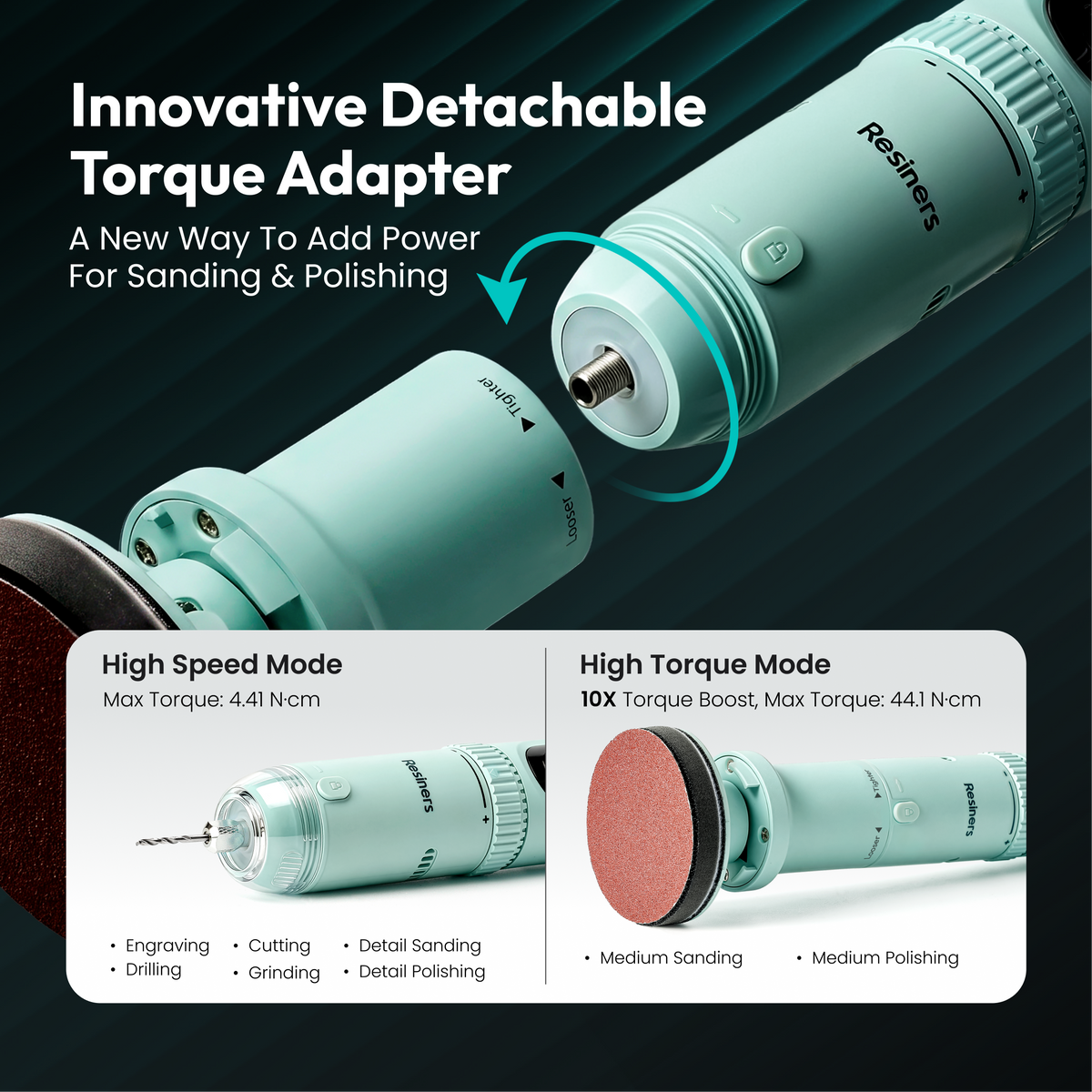
The Torque Adapter connects to the Main Unit with a twist-lock design. It does not need to be forced fully tight to work properly.
Once the connection feels secure, with no noticeable looseness or wobble, it is ready to use. If resistance increases significantly while tightening, stop twisting to avoid overtightening and making removal difficult.
To remove it, turn off the Main Unit and wait until it has completely stopped. Hold both parts firmly and slowly twist the Torque Adapter in the opposite direction.
Do not use pliers or other tools to force it on or off.
7. Do I need to buy extra accessories or consumables?
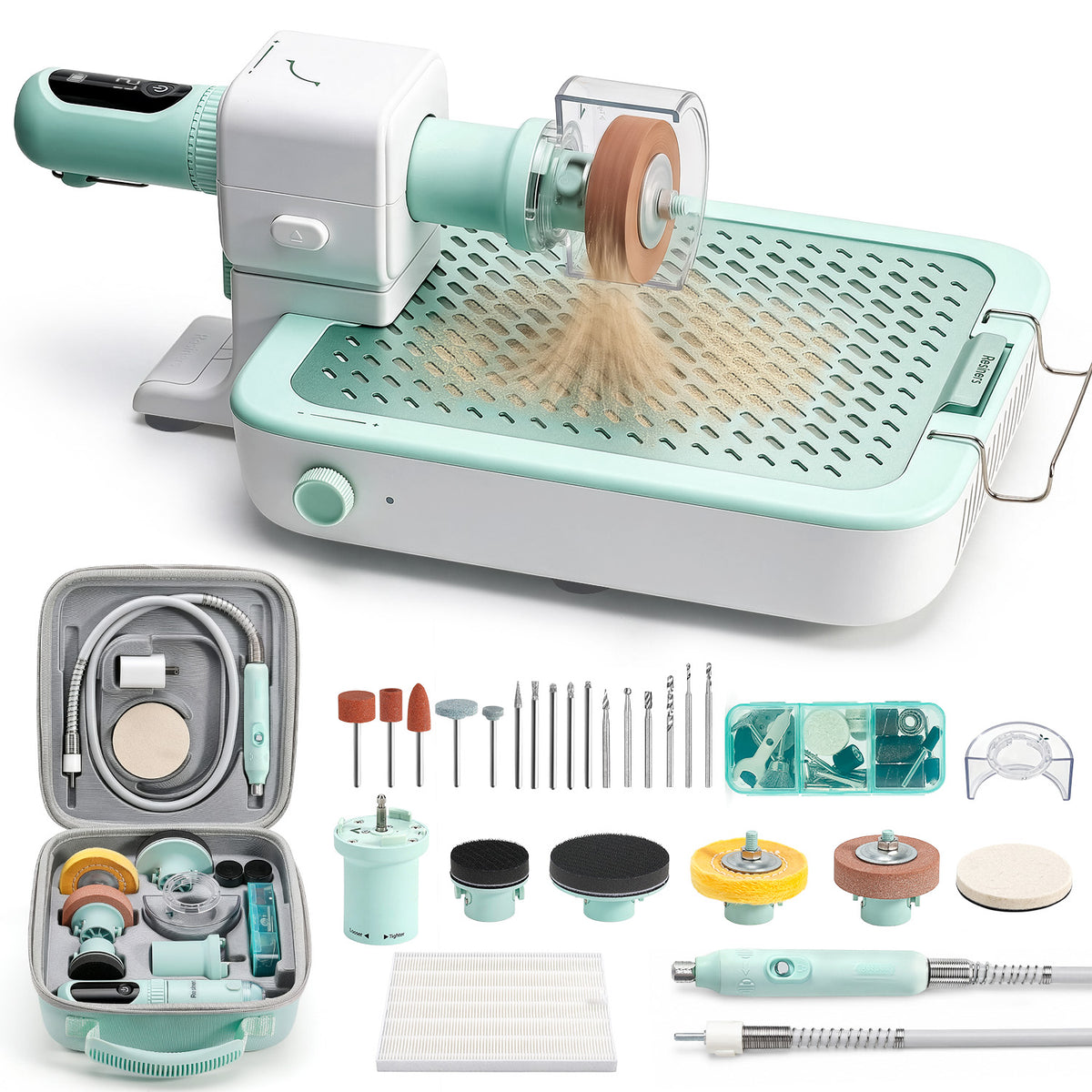
The AirFine kit already includes a wide range of sanding, drilling, and finishing accessories, but consumables such as sanding discs and polishing pads will need replacing over time.
8. What should I do if AirFine stops while cutting or shows an error?
Reduce pressure and work in lighter, multiple passes instead of forcing the tool through the material.
During testing, heavier cutting pressure could trigger protection errors and automatic stops, so AirFine performs better with controlled, gradual cutting.
9. Why does my resin still look matte after polishing instead of glossy?
The included polishing compound is designed for general polishing and surface finishing. lt helps smooth and refine the surface after sanding, but it is not intended to create a high-gloss or mirror finish.
If you want a alossy or mirror-like finish on resin or acrylic, we recommend using a dedicated fine polishing compound for resin acrylic, or plastic after completing fine-grit sanding.
10.Why does AirFine charge slowly?
AirFine uses a battery protection charging system that automatically slows the charging speed as the battery gets closer to full capacity, helping protect battery health.
Typically, AirFine reaches about 90% in 2 hours, 95% in 2.5 hours, and 100% in around 3 hours.
AirFine also supports use while charging, so you can keep working during longer projects without worrying about battery life.


AirFine is designed for resin finishing, including sanding, polishing, drilling, engraving, and detail work. It works especially well for resin jewelry, coasters, small home decor, Jesmonite, plaster crafts, models, and other small-to-medium projects that need precise finishing.
AirFine is better suited for controlled finishing and detailed work than heavy-duty cutting. For thick resin, wood, or metal cutting, use lighter pressure and make multiple passes instead of forcing the tool.
Dust collection works best when sanding directly over the workstation with the main tool and dust guard. It can significantly reduce dust on your workbench. When using the flexible shaft, keep the workpiece as close to the dust intake as possible, as some fine particles may escape upward during detail work.
For the clear protective cover, twist it to the left to remove it. If the 90° support arm will not rotate, loosen the locking mechanism several turns before repositioning it.
Use the torque adapter for sanding larger or flatter areas, the flexible shaft for jewelry and small details, and the fixed workstation when you want more stability and better dust control.
The Torque Adapter connects to the Main Unit with a twist-lock design. It does not need to be forced fully tight to work properly.
Once the connection feels secure, with no noticeable looseness or wobble, it is ready to use. If resistance increases significantly while tightening, stop twisting to avoid overtightening and making removal difficult.
To remove it, turn off the Main Unit and wait until it has completely stopped. Hold both parts firmly and slowly twist the Torque Adapter in the opposite direction.
Do not use pliers or other tools to force it on or off.
The AirFine kit already includes a wide range of sanding, drilling, and finishing accessories, but consumables such as sanding discs and polishing pads will need replacing over time.
Reduce pressure and work in lighter, multiple passes instead of forcing the tool through the material. During testing, heavier cutting pressure could trigger protection errors and automatic stops, so AirFine performs better with controlled, gradual cutting.
The included polishing compound is designed for general polishing and surface finishing. lt helps smooth and refine the surface after sanding, but it is not intended to create a high-gloss or mirror finish.
If you want a alossy or mirror-like finish on resin or acrylic, we recommend using a dedicated fine polishing compound for resin acrylic, or plastic after completing fine-grit sanding.
AirFine uses a battery protection charging system that automatically slows the charging speed as the battery gets closer to full capacity, helping protect battery health.
Typically, AirFine reaches about 90% in 2 hours, 95% in 2.5 hours, and 100% in around 3 hours.
AirFine also supports use while charging, so you can keep working during longer projects without worrying about battery life.