

A cured resin piece may still need edge correction, surface smoothing or polishing. Here is a simple AirFine Pro finishing workflow.
How to Sand and Polish Resin with AirFine Pro
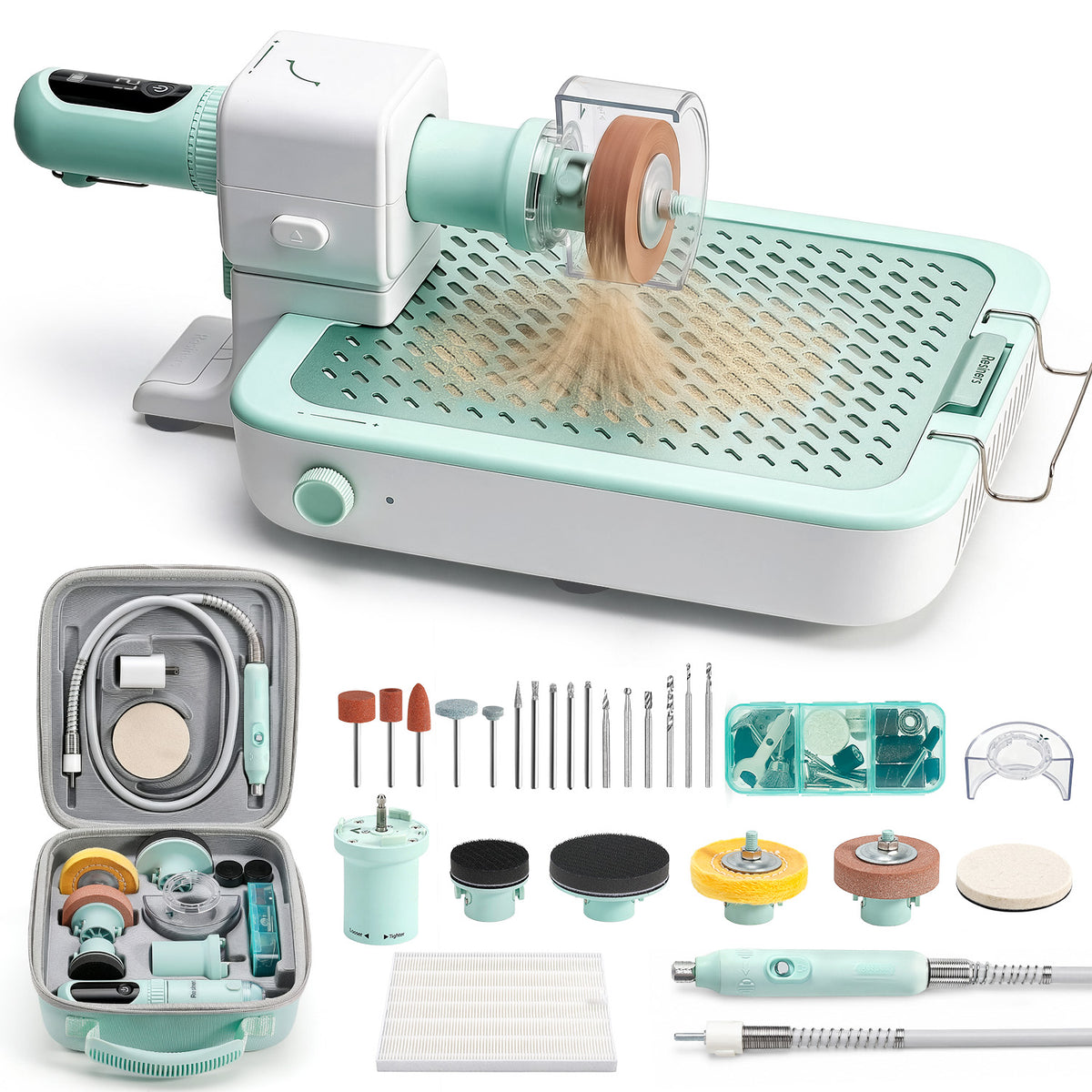
Prepare the Tool and Accessories
Check the resin piece first, then prepare only the sanding, drilling or polishing accessories needed for the job.

Set Up the Workstation
Secure the workstation and keep the sanding area close to the filter zone for more effective dust collection.

Protect Yourself Before Sanding
Wear eye protection and a dust mask, and keep the workspace well ventilated.

Refine Small Edges and Tight Areas
Use the sanding handpiece at a low starting speed. Apply light pressure and keep it moving around edges and corners.

Sand Larger Flat Surfaces
Switch to the torque adapter and a larger sanding disc for broader, more even surface coverage.

Remove Material in Controlled Stages
Sand in short passes. Stop often to clean and check the surface so you do not remove too much resin.

Refine the Surface with Finer Grits
Once the shape is corrected, move through finer grits to soften the sanding marks before polishing.

Use the Flexible Shaft for Precise Work
Use the flexible shaft for small details or drilling points where a lighter handpiece gives better control.

Polish the Surface
Add a small amount of polishing compound, keep the polishing wheel moving and check the shine between short passes.

Choose the Setup That Fits the Task











Lämna en kommentar
Denna webbplats är skyddad av hCaptcha och hCaptchas integritetspolicy . Användarvillkor gäller.