
What to Do After Demolding Resin: A Beginner’s Guide

What to Do After Demolding Resin: A Beginner’s Guide
How to Sand and Polish Resin After Demolding | AirFine Pro Guide
Resin finishing guide

A cured resin piece may still need edge correction, surface smoothing or polishing. Here is a simple AirFine Pro finishing workflow.

How to Sand and Polish Resin with AirFine Pro

01

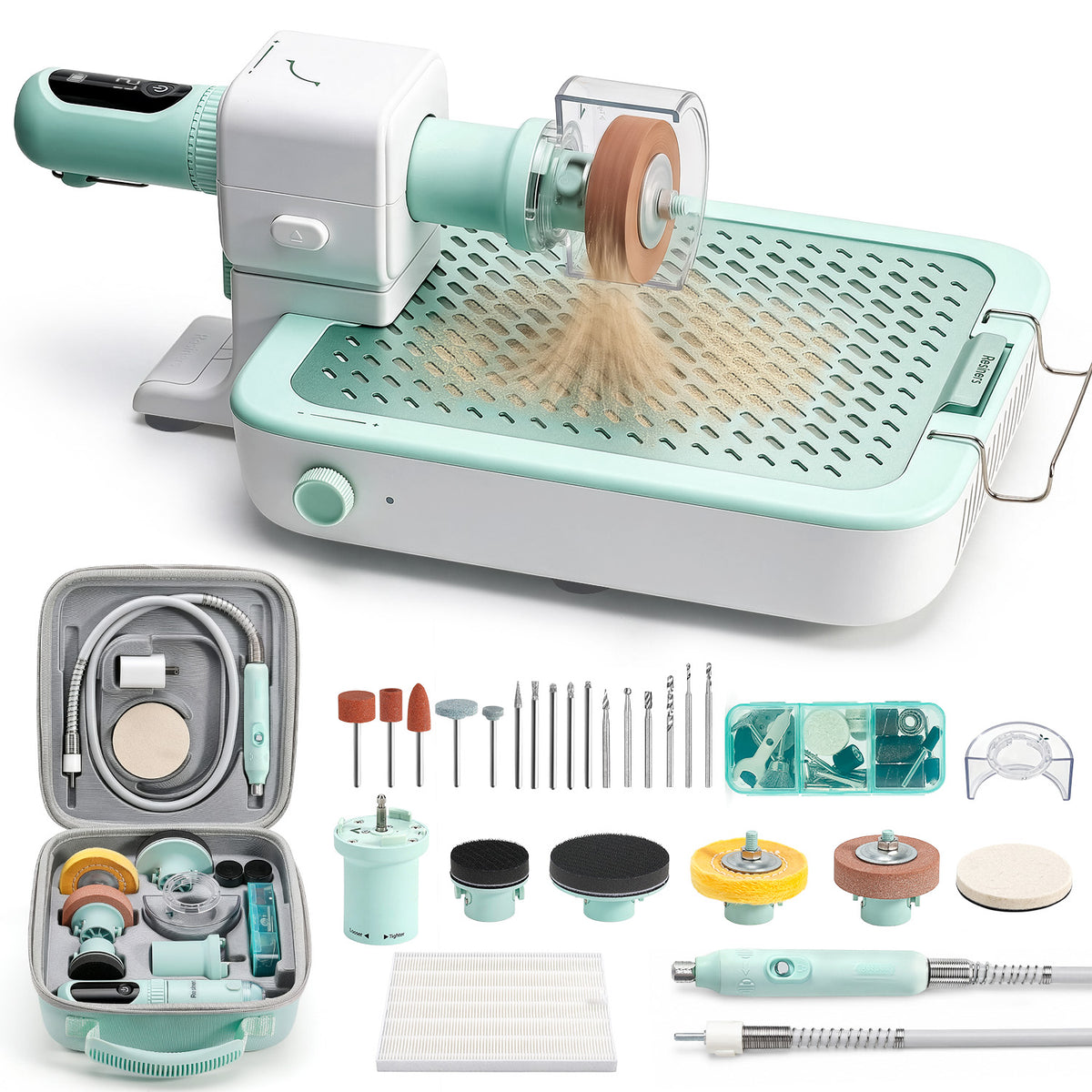
Prepare the Tool and Accessories

Check the resin piece first, then prepare only the sanding, drilling or polishing accessories needed for the job.

AirFine Pro workstation, rotary tool and resin finishing accessories arranged before use
Prepare the main tool, workstation and task-specific accessories before starting.
02

Set Up the Workstation

Secure the workstation and keep the sanding area close to the filter zone for more effective dust collection.

Installing the AirFine Pro tool holder on the dust-control workstation
Secure the tool holder and confirm that the workstation is stable before use.
03

Protect Yourself Before Sanding

Wear eye protection and a dust mask, and keep the workspace well ventilated.

Protective glasses and dust mask prepared before sanding resin
Use suitable personal protection and maintain ventilation throughout the process.
04

Refine Small Edges and Tight Areas

Use the sanding handpiece at a low starting speed. Apply light pressure and keep it moving around edges and corners.

Using the AirFine handheld tool to refine the edge of a resin piece
A smaller contact area offers more control around edges and detailed shapes.
05

Sand Larger Flat Surfaces

Switch to the torque adapter and a larger sanding disc for broader, more even surface coverage.

Using the AirFine Pro torque adapter and large sanding disc on a flat resin surface
Use the torque-adapter setup when a larger surface needs even coverage.
06

Remove Material in Controlled Stages

Sand in short passes. Stop often to clean and check the surface so you do not remove too much resin.

Checking a resin piece between gradual sanding stages on the AirFine Pro workstation
Clean and inspect the piece between stages instead of sanding continuously.
07

Refine the Surface with Finer Grits

Once the shape is corrected, move through finer grits to soften the sanding marks before polishing.

Selection of fine-grit sanding discs used to refine resin before polishing
Each finer grit should reduce the marks left by the stage before it.
08

Use the Flexible Shaft for Precise Work

Use the flexible shaft for small details or drilling points where a lighter handpiece gives better control.

AirFine Pro flexible shaft arranged for precise resin detail work and drilling
The flexible shaft keeps the larger tool body away from the detailed working area.
09

Polish the Surface

Add a small amount of polishing compound, keep the polishing wheel moving and check the shine between short passes.

Polishing a sanded resin surface with AirFine Pro and a polishing wheel
Polishing follows fine-grit sanding; it does not replace proper surface preparation.

Choose the Setup That Fits the Task

AirFine used for fine polishing, cutting, engraving and drilling
Polishing Cutting Engraving Drilling
Explore AirFine & AirFine Pro →

前後の記事を読む

how to warm up resin

コメントを書く

このサイトはhCaptchaによって保護されており、hCaptchaプライバシーポリシーおよび利用規約が適用されます。